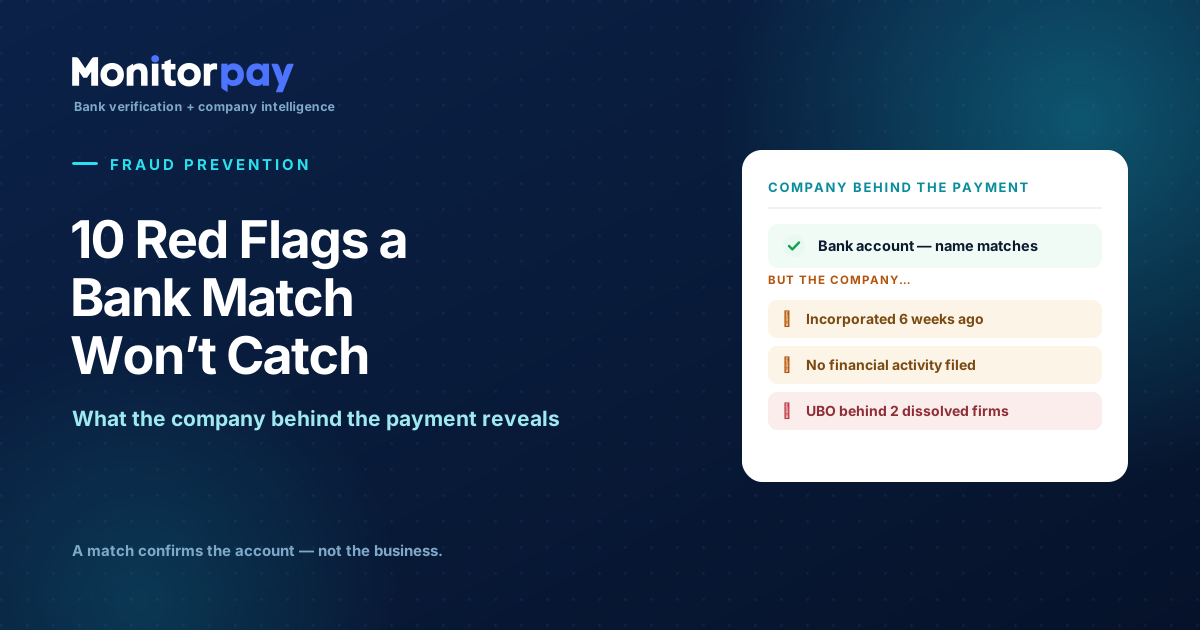
A bank account check confirms one thing: the name you supplied matches the account number. It doesn’t tell you whether the business behind that account is real, active, or controlled by who you think. Here are ten red flags hiding in the company behind a payment — and how to catch them before the funds leave.
Here’s the conversation we keep having with fraud and compliance teams. They’ve added bank account verification, they get a clean “match”, and they assume the payment is safe. Then they describe the attack that still got through — and it’s almost always the same shape: a real-looking account, in a name that matched, belonging to a company that should never have passed a second look. The account check did its job. Nobody checked the company.
That gap is where modern payment fraud lives. 76% of organisations were hit by attempted or actual payment fraud in 2025, and around 74% were targeted by business email compromise — the vendor-impersonation, “please update our bank details” attack that produces a payment you authorise yourself. A name-match can’t stop it, because the name often does match. The defence is verifying the entity behind the account: is it real, is it active, is it solvent, and is it controlled by who you think? Those are questions registry and financial data answer — and they’re where the red flags show up.
Why a bank match isn’t enough · AFP Payments Fraud Survey & ECB/EBA, 2024–2026
76%
Organisations hit by attempted or actual payment fraud in 2025
The risk is the base rate, not the exception
74%
Targeted by business email compromise — the top vector
“Update our bank details” to a matching name
85%
Share of EEA transfer-fraud losses from manipulation, not breached systems
Payments the victim approves — every check passes
60%
Of organisations report a rise in vendor impersonation
The fraud aimed squarely at the company you trust
None of these are exotic. They’re the everyday attack — and the common thread is that the payment looks legitimate at the account layer. So this guide is organised the way you’d actually investigate: start with the company’s formation and status, move to its financials, then its ownership, and finally the consistency between what you were told and what the registry says. Each red flag below comes with the data that exposes it.
The principle
A “match” confirms the account. It says nothing about the business.
✓ What a bank match confirms
✓The name you supplied matches the account holder on record
✓The account number / IBAN is valid and active
✓A payment will land in that specific account
— What it leaves wide open
?Is the company real, active, and trading?
?Does it have any financial substance?
?Who actually owns and controls it?
?Is it the entity you contracted with?
Every red flag in this guide lives in the right-hand column — the questions a bank account match was never designed to answer.
Group 1 · Formation & statusIs this even a real, live company?
1
It was incorporated very recently
A company formed weeks ago that’s invoicing you like an established supplier is the classic shell-fraud signature. Fraudsters spin up a fresh entity with a plausible, often near-identical name, open an account in it, and collect a redirected payment. A brand-new company isn’t proof of fraud — every business starts somewhere — but a new incorporation paired with a large invoice or a bank-detail change deserves a hard second look.
What reveals it: the registry incorporation date, checked against how long you’ve “known” this supplier.
2
It’s dissolved, struck off, or in liquidation
You should never be paying a dead entity. A company that’s been dissolved, marked for strike-off, or entered liquidation can’t legitimately trade — yet its name and old details can be reused or impersonated. Paying into one means funds with no legitimate recipient, no recourse, and a likely fraud or error behind the request.
What reveals it: live company status from the registry — active, dormant, dissolved, in liquidation, or proposed for strike-off.
3
It’s dormant — registered, but not actually trading
A dormant company has filed accounts showing no significant transactions. It’s a legal shell sitting idle — and a favourite vehicle for fraud precisely because it looks established on paper while having no real operations. A “supplier” that’s been dormant for years but is suddenly invoicing you is a contradiction worth resolving before you pay.
What reveals it: dormant accounts filings and a flat trading history in the financial record.
Group 2 · FinancialsDoes the company have any substance?
4
An empty or near-zero balance sheet
If a company has no meaningful financial activity across its balance sheet — no assets, no real turnover, nothing moving — it may be a shell with a registration and nothing behind it. Legitimate suppliers leave a financial footprint. The absence of one, especially for an entity asking to be paid serious money, is one of the strongest signals that the business isn’t what it claims to be.
What reveals it: filed balance sheet and P&L data — or the conspicuous absence of any.
5
Financials that don’t match the payment size
A micro-entity with a few hundred in net assets invoicing you for six figures is a mismatch worth questioning. The scale of a company’s accounts should be proportionate to the scale of what it’s billing. A large payment to a financially tiny entity is either a legitimate fast-growing supplier — or a front built to receive one transfer.
What reveals it: turnover, net assets, and share capital weighed against the invoice value.
6
Overdue or missing accounts filings
A company that has stopped filing its accounts on time is sending a signal — distress, abandonment, or a deliberately neglected shell. Persistent late or absent filings often precede strike-off. It’s rarely proof of fraud on its own, but combined with any other flag here, an entity that can’t keep its statutory filings current is not one to wire money to on trust.
What reveals it: filing history and compliance status from the registry.
7
Insolvency signals — negative net assets
Paying a company that’s technically insolvent carries a risk most teams overlook: if it collapses shortly after, the payment can be challenged as a preference and clawed back. Beyond the legal exposure, a counterparty with negative net assets is unstable, and instability is exactly the condition under which a desperate supplier — or whoever has taken over its name — starts redirecting payments.
What reveals it: negative net-asset positions and deteriorating ratios across the filed accounts.
How MonitorPay surfaces these
Verify the account, then run the company behind it — in the same call.
MonitorPay confirms the IBAN and payee, then returns the registry-sourced company behind the account so the red flags surface automatically: incorporation date, live status, directors and shareholders, UBO, ultimate parent and group structure, plus up to 20 years of financial statements. You see whether you’re paying a real, active, solvent business — not just a matching name.
✓ Incorporation date & live status
✓ Financial statements & filing history
✓ Directors, shareholders & UBO
✓ Ultimate parent & group structure
See it run on a real company →
Group 3 · Ownership & controlWho is actually behind this?
8
A UBO or director behind other failed companies
When you resolve the people who own and run a company, their track record matters. A beneficial owner or director sitting behind a string of dissolved, struck-off, or insolvent entities is showing a pattern — the “phoenix” or serial-incorporator behaviour where the same individuals cycle through disposable companies. One failed venture is life; a repeated history of them behind your supplier is a reason to slow down.
What reveals it: the UBO’s and directors’ other corporate roles and the status of those entities, via ownership and officer linkage.
9
A change of control right before a bank-detail change
Watch the timing. A new director appointed, or ownership transferred, shortly before a request to update banking details is a takeover pattern — someone has gained control of the entity (or impersonated the change) and is redirecting its payments. The bank-detail change is the visible event; the ownership change underneath it is the warning you’d miss without looking at the company.
What reveals it: recent appointment and shareholding-change dates set against the date of the payment request.
10
Ownership you can’t see through
If the ownership chain dead-ends in an opaque structure — layers of holding companies, a parent in a secrecy jurisdiction, or a UBO that simply can’t be resolved — you’re being asked to pay a business whose real owner is deliberately hidden. Sometimes that’s legitimate corporate complexity. Often it’s structure built to obscure who ultimately receives the money. Either way, unresolved ownership is a flag, not a footnote.
What reveals it: the full group structure and ultimate-parent chain — and the points where it can’t be resolved.
Beyond the registry · The screening layerSanctions, PEP, and adverse media
The ten flags above all come from the registry and the filed accounts. Sitting on top of them is a layer the registry alone doesn’t cover: screening the company and the people behind it against sanctions and watchlists, politically-exposed-person (PEP) databases, and adverse media. Registry data tells you who the UBO is; screening tells you whether that person — or the company itself — is one you’re permitted to pay, or one with a documented history that should stop the payment.
+
The company or a UBO appears on a sanctions or watchlist
This isn’t a judgement call — it’s a hard stop. Paying a sanctioned entity or individual is a legal breach in most jurisdictions, regardless of the commercial relationship. And because the people who control a company can only be screened once they’re resolved, identifying the UBO is the prerequisite for catching this at all.
What reveals it: the resolved entity, directors, and UBO screened against sanctions and watchlist sources.
+
A PEP in the ownership, or adverse media on the entity
A politically-exposed person in the control chain raises the diligence bar rather than blocking outright. So does adverse media — documented reporting of fraud, insolvency, or investigations tied to the company or its owners. Neither is automatically disqualifying, but both change the level of scrutiny a payment deserves.
What reveals it: PEP and adverse-media screening run against the resolved directors and beneficial owners.
MonitorPay resolves the entity, its directors, and its UBO from registry data — the identities this screening layer runs against — so the people behind a payment can be checked against these sources alongside the registry flags.
The flag that ties them togetherConsistency: is this the entity you contracted with?
The most overlooked red flag isn’t any single data point — it’s a mismatch. The legal entity on the bank account may not be the company named in your contract. A close-match name (“Acme Trading Ltd” vs “Acme Trade Ltd”), a registered address that turns out to be a mass-registration mailbox shared by thousands of companies, or a supplier incorporated in a different country than where they claim to operate — each is a gap between what you were told and what the registry says. Bank verification can’t see these because they’re not bank data. Entity verification exists precisely to catch them.
And the timing flag underneath all ten: most of these don’t announce themselves at onboarding — they appear later. A company that was active when you signed it up can be dissolved eight months on; ownership can change; accounts can go overdue. Fraud lands on the
change, which is why verification has to be continuous, not a one-time gate. See
why ownership verification belongs before every payment.
In practiceHow it plays out
Anatomy of the attack · illustrative
How the company check stops a payment the bank match waved through
1
A vendor you’ve paid for two years emails new bank details — a fresh IBAN, “please use it for the next invoice.” The thread looks legitimate; the account is real.
2
You run the payment. The IBAN is valid and the name matches the account holder. At the bank layer, everything is green.
3
But the company check tells a different story: the entity holding that account was incorporated six weeks ago, has no filed financials, and its sole director sits behind two recently dissolved companies.
✓
Three red flags, one decision: the payment is held and the change confirmed out-of-band. The €60,000 stays put — caught not by the account check, but by the company behind it.
The same logic extends well beyond accounts payable. It’s the check a marketplace runs before paying out to a new seller entity, the diligence a lender does before disbursing to a borrower that turns out to be dormant, the control a procurement team needs when a “new supplier” shares a UBO with someone on the inside, and the screen a fintech or PSP applies before onboarding a business customer. Anywhere money moves to a company, the company is the thing to verify.
From flag to decisionHow to act without blocking every supplier
A red flag is an input to a risk decision, not an automatic block — and that distinction is what keeps this workable. A single flag on an otherwise-solid company isn’t a reason to halt a relationship; three flags stacking on a payment-critical change almost certainly is. The job is proportionate friction: more scrutiny where the signals cluster, none where they don’t.
Look closer
One isolated flag on an established, clean entity
A well-capitalised company that simply incorporated a little while ago, or a single overdue filing. Note it and proceed — there’s no need to block a legitimate supplier.
Verify first
Any flag on a payment-critical event
A bank-detail change, a new payee, or a first payment above your threshold. Confirm before releasing funds — this is where most fraud is timed to land.
Stop & escalate
Multiple flags stacking together
Recently incorporated + no financials + a UBO behind dissolved firms. That combination is the fraud signature, not a coincidence. Hold and escalate.
Once a flag warrants action, the workflow is the same five steps:
- Risk-weight, don’t auto-reject. Score the flags in context — entity age against payment size, ownership against the change being requested.
- Hold material or changed payments. Pause release where the amount, or a changed bank or ownership detail, crosses your risk threshold.
- Confirm out-of-band. Verify any bank-detail or ownership change through an independent channel — a phone number you already hold, never the email that made the request.
- Escalate by threshold. Route stacked-flag or high-value cases to compliance or a second approver before the payment moves.
- Document for audit. Record the flags, the decision, and the evidence — then let continuous monitoring re-check the entity so the next change is caught too.
ReferenceThe red-flag checklist
The full set in one view — the signal, what it suggests, and the data that exposes it.
Reference · company red flags behind a payment
Ten signals a bank account match won’t show you
| Red flag | What it can mean | Where it shows up |
|---|
| Recently incorporated | Shell set up to receive a redirected payment | Incorporation date |
| Dissolved / struck off | Paying a dead entity — no recourse | Company status |
| Dormant | Idle shell, not actually trading | Dormant accounts |
| Empty balance sheet | No substance behind the registration | Filed financials |
| Financials ≠ payment size | A front built to receive one transfer | Turnover / net assets |
| Overdue filings | Distress, abandonment, pending strike-off | Filing history |
| Negative net assets | Insolvency & clawback risk | Balance sheet / ratios |
| UBO behind failed firms | Phoenix / serial-incorporator pattern | Ownership & officer linkage |
| Control change pre-payment | Entity takeover / redirection | Appointment & share dates |
| Opaque ownership | Real owner deliberately hidden | Group structure / UBO |
Get this data your way
Run the company behind every payment — one supplier or your whole file.
Bank account verification plus the registry-sourced company intelligence that surfaces these red flags, through a single integration. However your team works:
API One REST call, <1s, webhook alerts on change
Bulk Screen thousands of suppliers in one file
Platform Online dashboard with exportable audit logs
Book a 30-minute walkthrough →
Frequently asked questions
Can a fraudster still get a successful bank account verification “match”?
Yes. A bank account match confirms the name matches the account holder and the account is valid — but a fraudster can open an account in a legitimate-sounding (or near-identical) company name and return a clean match. That’s why bank verification needs to be paired with company verification: confirming the business behind the account is real, active, and controlled by who you expect.
Why is a recently incorporated company a fraud red flag?
Because spinning up a fresh entity is the simplest way to create a “legitimate” account to receive a redirected payment. A brand-new company isn’t proof of fraud — but a recent incorporation date paired with a large invoice or a sudden bank-detail change is a strong signal to verify before paying, rather than trusting that the name on the account is enough.
How can you tell if a company is dormant or a shell?
Look at its financial filings. A dormant company files accounts showing no significant transactions, and a shell typically has an empty or near-zero balance sheet — no assets, no turnover, no real activity. A supplier that has been dormant for years but is suddenly invoicing you is a contradiction worth resolving before any payment leaves.
What does the UBO have to do with payment fraud?
The ultimate beneficial owner is who actually receives and controls the money. Resolving the UBO — and their other corporate roles — surfaces patterns a bank check never could: an owner or director sitting behind a string of dissolved or insolvent companies (a phoenix or serial-incorporator pattern), or ownership deliberately hidden behind opaque structures. Both are reasons to slow a payment down.
What company data actually catches these red flags?
Registry-sourced company intelligence: incorporation date, live company status, directors and officers, shareholders and UBO, ultimate parent and group structure, and financial statements with filing history. Together these reveal whether a company is real, active, solvent, and controlled by who you think — the questions bank account verification doesn’t answer.
Isn’t a bank account match enough for compliance?
It’s necessary but not sufficient. Verification of Payee and similar checks confirm the account layer, but most B2B payment fraud — business email compromise, vendor impersonation, invoice redirection — produces payments that pass a name match because the victim authorises them. Catching that fraud requires verifying the entity, which is also what KYB and AML obligations increasingly expect.
Why does a change of ownership matter before a payment?
A new director or a shareholding transfer shortly before a request to change bank details is a takeover pattern — someone has gained control of the entity, or impersonated the change, and is redirecting its payments. The bank-detail change is the visible event; the ownership change underneath it is the warning, and you only see it if you’re checking the company.
Do these red flags apply outside accounts payable?
Yes. The same company checks protect marketplace seller onboarding, lending and credit disbursement, procurement (including related-party and conflict-of-interest risk), and fintech or PSP business onboarding. Anywhere money moves to a company, the entity behind it is the thing to verify — not just the bank account.
How do you monitor for red flags after onboarding?
With continuous monitoring. Most red flags appear after onboarding — a company is dissolved months later, ownership changes, accounts go overdue. Continuous verification with alerts on status, ownership, and bank-detail changes catches the shift when it happens, rather than relying on a one-time check that was only ever accurate on the day it ran.
Can I check the company and the bank account in one step?
Yes. MonitorPay validates the IBAN and payee name, confirms account ownership, and returns the registry-sourced company behind the account — incorporation date, status, directors, UBO, group structure, and financial statements — in a single API call, as a bulk file, or through an online dashboard. The red flags in this guide surface in the same response that confirms the account.