How to Automate Supplier Bank Account Verification (Without a Developer)
If your AP team verifies supplier bank accounts by logging into your corporate banking portal and typing them in one at a time, you're doing the work a programmable system was designed to do for you.
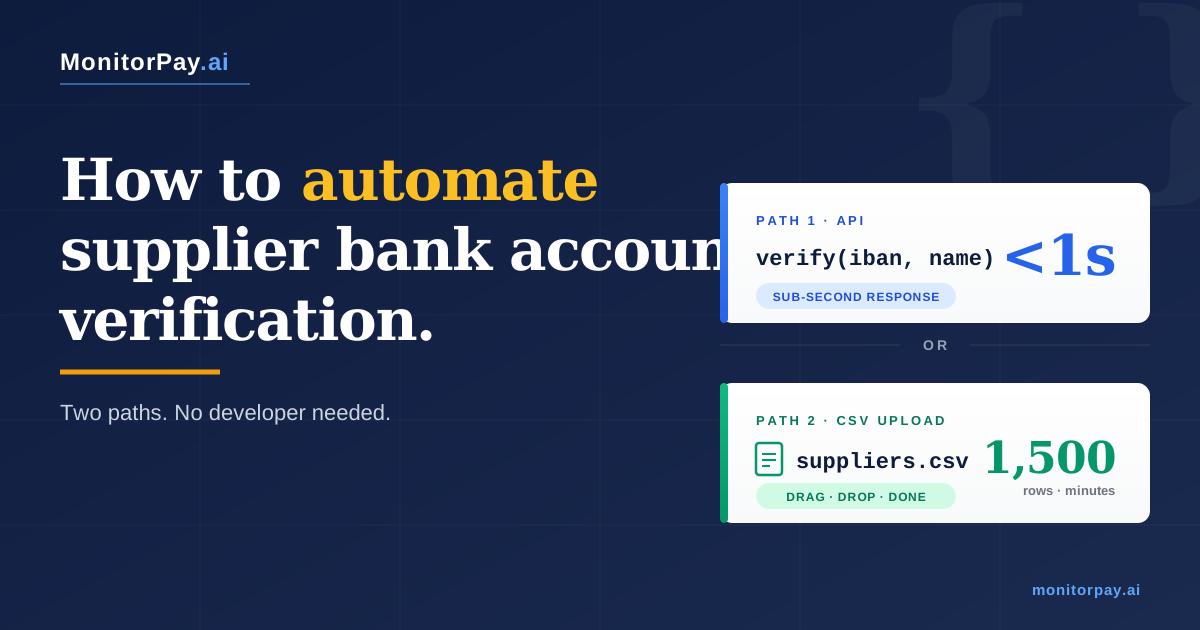
This is a guide for AP, treasury, and procurement teams that want to replace the manual verification workflow with something automated. Two paths: an API that runs verification automatically inside your existing systems, and a CSV upload that handles a thousand suppliers in a single file drop. No developer needed for the bulk path. Both deliver the same data the manual workflow produces — match status, account holder confirmation, bank details — plus everything the bank portal can't give you.
The manual workflow has its costs. Each check takes around 90 seconds of operator time, doesn't extend past the SEPA border, and only confirms name-vs-IBAN — nothing about the entity behind the account. Those are real limits, but they're not the focus here. The focus is what automation looks like when it replaces them.
1. What Manual Verification Doesn't Catch
Even if the time cost weren't a problem, the manual workflow would still be a partial control. The bank portal returns one piece of information: does the name on the IBAN match the name you typed? It doesn't return:
- Whether the supplier is a real, registered, active legal entity. A fraudster can register a company with a real-looking name, open a real bank account, and pass a CoP/VoP check on day one.
- Whether the entity has been operating long enough to be plausibly legitimate. A supplier registered six weeks ago with a brand-new bank account passes the same check as one with twenty years of history.
- Whether the directors and beneficial owners match what you have on file. A change of UBO is invisible to the banking portal.
- Whether anything has changed since the last time you checked. The bank tells you what's true today. It doesn't tell you when it stopped being true two months ago.
This isn't a critique of the bank portal. The portal is doing what the regulator designed it to do. The point is that name-vs-IBAN matching is one layer of a verification stack, and AP teams running only that layer are accepting the cost without getting most of the protection. We covered the gap in detail in our pillar piece on why VoP isn't enough on its own.
2. Bank Portal Coverage Stops at Europe. MonitorPay Doesn't.
The other limit of the manual workflow is geographic. UK Confirmation of Payee covers UK accounts only. EU Verification of Payee covers SEPA credit transfers only. For an AP team paying suppliers in Europe, the bank portal is fine. For everything outside Europe, the manual workflow has nothing to offer.
That cliff matters because it's exactly where supplier fraud is moving. UK Finance reported that international payments rose from 6 per cent to 11 per cent of authorised push payment fraud losses in 2024 — almost doubling in a single year. The reason cited: criminals are routing payments to corridors where mandatory reimbursement rules do not apply. The same logic applies to AP fraud. We unpacked the wider economics in our piece on pre-payment verification versus post-payment recovery, anchored on the $37 million Toyota Boshoku case from 2019.
The MonitorPay API closes that gap. Verification works through the EU and UK regulatory rails (Pay.UK and the EPC VoP scheme) for the 28 European markets where they exist, and through direct local banking infrastructure for an additional 21 corridors outside Europe — including the United States, Brazil, Mexico, India, China, Singapore, the UAE, Vietnam, and Nigeria. 49 markets in one API. One integration, both sides of the cliff.
Bank portal vs. MonitorPay coverage
Where each verification source actually works, by country count.
The bank portal handles the Europe column. MonitorPay handles the same Europe column plus 21 of the corridors fraudsters are most actively targeting — through direct local banking infrastructure rather than asking your bank to do something it can't.
3. The API Alternative: Verification That Runs Itself
The MonitorPay API replaces the manual workflow with something that doesn't require an operator at all. Same input the bank portal needed — IBAN and account holder name. Same output — match status. The difference is what happens around the check.
With a manual workflow, verification is a separate task. Someone logs in, types data, reads a result, records it. With an API, verification is a property of the payment workflow itself. The check runs automatically every time something happens that should trigger one.
The four automation triggers that matter
An AP team running API-based verification doesn't decide when to verify. The system decides, based on four standard events:
- New supplier onboarding. The moment a supplier is created in your accounting or procurement system, the API runs a verification check. The result is written back to the supplier record before anyone can raise a purchase order against them.
- Bank-detail change. Any time a supplier's IBAN, sort code, or account name is updated — through your supplier portal, your AP system, or a manual edit — the API runs a fresh check on the new details. This is the trigger that catches vendor imposter fraud, where a fraudster sends a "we've changed banks" email and the AP team updates the record without a second pair of eyes.
- Payment authorisation. When a payment is queued for release, the API verifies the supplier's bank account one last time before the wire actually leaves. A second-line check between approval and execution.
- Scheduled re-verification. A nightly, weekly, or monthly batch runs across your active supplier base. Anything that has changed at the registry level — a director leaving, a registration becoming inactive, a bank closing the account — produces an alert before the next payment cycle.
None of these four events requires an operator to remember to run a check. They run as a property of the events themselves.
How API verification fits into your workflow
The same check the manual workflow performs, embedded as a step inside your existing systems.
The verification doesn't replace your existing systems — it sits between them. Triggers come from your ERP, procurement, or payment workflow; the API runs the check; the result is written back to the same record automatically.
What the API actually returns
Every check returns a structured result your accounting system can store, your audit team can review, and your payment workflow can act on. The response includes:
- Match status — the same Match, Close Match, No Match, or NOAP responses the bank portal returns, but standardised across all 49+ countries.
- Account holder name returned — the legal name on the account, if your input was close-but-not-exact. Tells you what the supplier should be entered as.
- Bank details — bank name, BIC, branch, country. Useful for sanity-checking a supplier's claimed banking arrangement.
- Entity verification (optional) — registration status, tax ID, EIN, VAT number, incorporation date, directors, beneficial owners, group structure. Pulled from official registries, returned in the same call.
- Confidence scoring — how the matching algorithm assessed the input. Useful for setting your own thresholds (auto-approve above 95, flag for review between 80 and 95, block below 80).
How it fits into your accounting system
The integration is a write-back, not a replacement. Your suppliers stay in Sage, Xero, NetSuite, SAP, or Oracle. The API runs alongside whatever accounting or procurement system you already use, and the verification result lands back on the supplier record as a custom field, audit log entry, or notes annotation — depending on what your system supports. Common patterns:
- A new field on the supplier record showing the last verification status, last verification date, and confidence score
- An audit log entry every time the API runs, preserved for SOX or GDPR audit purposes
- An automated approval block on payments where the verification status is anything other than "Match"
- A webhook alert that fires into Slack, Teams, or email when a change is detected on a previously-verified supplier
Manual vs API: the same supplier, in two timelines
To make the difference concrete, here's what happens to a single new supplier under each workflow.
| Stage | Manual workflow | API workflow |
|---|---|---|
| Day 1: Supplier added to ERP | Verification queued for AP analyst | API fires automatically; result on the record in 0.4 seconds |
| Day 1–3: Verification | AP analyst gets to it when the queue allows; logs into bank portal; types details; records result | Already done |
| Day 4: First PO raised | Procurement may or may not check verification status | System blocks the PO if verification is not "Match" |
| Month 6: Supplier sends "we've changed banks" email | AP team updates record; verification queued for re-check | API runs automatically on the change; flags before payment if anything looks off |
| Month 9: Supplier dissolved at registry | Invisible. Next payment proceeds. | Webhook alert fires within 24 hours of the registry change |
The single supplier difference is small. Multiplied across 1,500 active suppliers, the difference is the entire posture of the AP team — reactive in the manual workflow, automated in the API one. IBAN validation, payee name verification, account ownership confirmation, and continuous monitoring all run through the same endpoint.
4. Bulk Verification: A Thousand Suppliers in One CSV
Most AP teams don't have engineering resources. The bulk upload route is built for that — same automation power as the API, packaged for someone whose job is finance, not code.
The principle is simple: the file you already export from your accounting system becomes the input. The file you get back contains the same rows, plus the verification result for each one. Drop it into your accounting system, save it as your audit trail, or both.
The four-step workflow
What the input CSV actually contains
The expected file structure is the structure your accounting system already exports. Three required columns and as many optional ones as you want to keep alongside the data.
| Column | Required? | Notes |
|---|---|---|
| supplier_name | Required | Legal name as it appears on the supplier's invoice or registration. Trading names also work — the matching algorithm handles common variations. |
| iban | Required (or sort_code + account_number for UK domestic) | Full IBAN preferred. UK domestic sort code + account number accepted as an alternative. |
| country_code | Required | Two-letter ISO code (GB, DE, FR, US, BR, IN, etc.). Helps the API select the right verification source. |
| supplier_id | Optional | Your internal ID for the supplier. Preserved in the output so you can match results back to your records. |
| tax_id | Optional | VAT number, EIN, CRN, or local equivalent. If included, triggers entity-level verification alongside the bank check. |
| any other column | Optional | Payment terms, contact email, business unit, contract number — anything you have. Preserved through the round-trip without modification. |
The file accepts standard CSV with a header row, UTF-8 encoded, comma-separated. Excel exports work as long as you save them as CSV first. No special formatting, no escaped characters, no hidden quirks.
What the results file looks like
The output is your input file plus four appended columns containing the verification result for each row.
| Appended column | What it contains |
|---|---|
| match_status | Match, Close Match, No Match, or NOAP — same four responses the bank portal uses, standardised across countries. |
| account_holder_returned | The legal name on the account, as held by the bank. Useful when your input was close but not exact. |
| bank_details | Bank name, BIC/SWIFT, branch, country. |
| flags | Any anomalies — registration inactive, bank closed, IBAN format invalid, country mismatch, sanctions hit (if entity verification was triggered). |
Every original column you uploaded — supplier_id, your contract numbers, your business unit codes — passes through unchanged. The output is a superset of the input. That means you can re-import it directly into your accounting system using whatever standard CSV import path you'd use for any supplier-data update, and the verification result lands on the right record automatically.
What gets caught — a worked example
To make this concrete, here's what an AP team running a 1,500-row quarterly re-verification typically gets back.
| Result | Typical share | What it means |
|---|---|---|
| Match | ~85% | Clean. Pay confidently. |
| Close Match | ~8% | Suggested correction in the response. Review whether to update your record. |
| No Match | ~3% | Investigate before next payment. Could be a real change, could be a fraud signal. |
| NOAP / unable to verify | ~3% | Outside coverage or temporarily unavailable. Re-run or escalate. |
| Flagged (registration inactive, bank closed, etc.) | ~1% | The reason teams run re-verification at all. These are the suppliers you'd otherwise have paid blind. |
That last 1% is the entire point. Out of 1,500 suppliers, 15 are flagged for something the manual workflow would never have surfaced — a dissolved entity, a closed bank account, a director who left two months ago. Catching them before the next payment cycle is the work the bulk upload was built for.
Five common use cases
The bulk path isn't only for quarterly re-verification. The same CSV upload supports any work that involves a list of suppliers and a need to verify them in one operation.
- Quarterly or annual re-verification. The most common use case. Pull the active supplier list, upload, import the results.
- Supplier base merge after an M&A. Acquired company comes with a vendor master file you've never validated. One upload tells you which of the inherited suppliers are real, active, and safe to start paying.
- Audit-time spot checks. External auditor asks for evidence that supplier verification is being performed. Upload, download, attach to the audit file. Documented and dated.
- New supplier batch onboarding. Procurement adds 50 new suppliers in a single tender round. One upload verifies all of them before any go into the payment cycle.
- Sanctions or watchlist re-screening. When a sanctions list updates, re-running your active supplier base catches anyone who appeared on the list since the last check.
What happens when something goes wrong
Real files have edge cases. The portal handles the common ones explicitly:
- Malformed IBAN. Returned with a clear error in the flags column. Row is not processed; you fix it and re-upload.
- Missing country code. The portal infers country from the IBAN prefix where possible, flags the row where it can't.
- File too large. Files up to 10,000 rows process synchronously. Larger files run as a background job with email notification when complete.
- Duplicate rows. Detected and flagged. The duplicate is processed once; the result applies to all matching rows.
- Verification source temporarily unavailable. Affected rows return NOAP with a "retry recommended" flag. Re-run the failed rows when the source is back online.
The bulk upload path is the same as exporting a spreadsheet from Sage, Xero, NetSuite, or SAP and emailing it to a colleague. Anyone in finance can run it. The API integration is available when you want to embed verification inside an automated workflow — it's an option, not a prerequisite.
How the round-trip works with your accounting system
The CSV upload flow is designed to use the file you already export. Most accounting systems give you a supplier or vendor master export with the right columns out of the box.
| Accounting system | Where to export from | What to upload |
|---|---|---|
| Sage 200 / Sage 50 | Suppliers → Reports → Supplier list with bank details | CSV containing supplier name, IBAN, country |
| Xero | Contacts → Suppliers → Export as CSV | Same CSV — Xero exports IBAN and account name natively |
| QuickBooks Online | Expenses → Suppliers → Export to Excel | Convert to CSV, upload |
| NetSuite | Lists → Relationships → Vendors → Saved Search export | CSV with name, bank account number, country |
| SAP / SAP S/4HANA | Vendor master report (transaction code MK10N) | CSV export from the report |
| Microsoft Dynamics 365 | Accounts payable → Suppliers → Export to Excel | Save as CSV, upload |
| Oracle ERP Cloud | Procurement → Suppliers → Manage Suppliers → Export | CSV with site-level bank account data |
The results file MonitorPay returns preserves your original columns and adds verification status, returned account holder name, bank name, BIC, and any flags. Most teams import the results back into the same accounting system using its standard CSV import — same path you'd use for any supplier-data update.
A note on security
A CSV containing supplier names, bank account numbers, and IBANs is sensitive data. Anyone considering bulk verification should be asking pointed questions before they upload — and the answers should be in the contract, not just the marketing.
The non-negotiables to look for in any bulk verification provider:
- Encryption in transit and at rest. TLS 1.2 or higher for the upload, AES-256 for storage.
- Defined retention window. Data should be deleted after a set period — typically 30 to 90 days — unless you've explicitly asked for longer storage for audit purposes.
- GDPR compliance. Documented data processing agreement, named DPO, lawful basis for processing supplier data.
- SOC 2 Type II or ISO 27001. Independently audited security controls. SOC 2 Type II is the stronger of the two because it tests controls over a 6 to 12 month observation window.
- No data sharing with third parties. Your supplier list should not be used to train models, enrich third-party datasets, or power any product other than the verification you're paying for.
MonitorPay aligns with all five. Your CSV is encrypted in transit, processed against verification sources, and deleted after a defined retention window. SOC 2 and ISO 27001 alignment, GDPR-compliant by design, no data sold or shared. The full data processing terms are available on request before any data is uploaded.
5. Side-by-Side: Manual vs API vs Bulk Upload
| Dimension | Manual (bank portal) | API | Bulk CSV upload |
|---|---|---|---|
| Time per supplier | ~90 seconds | <1 second | ~0.3 seconds (in bulk) |
| Volume per hour | ~40 checks | Thousands | Tens of thousands |
| Engineering required? | No | Yes | No |
| Coverage | UK + SEPA only | 49+ countries | 49+ countries |
| Entity verification | None | Yes (registry, UBO) | Yes (registry, UBO) |
| Continuous monitoring | Manual re-checks | Webhook alerts | Re-upload on schedule |
| Audit trail | Spreadsheet / screenshot | Logged automatically | Results file, archived |
| Best for | Ad-hoc, single supplier | Embedded in payment flow | Periodic re-verification at scale |
Verify 1,000 suppliers in the time it takes to make coffee.
Upload a CSV. Get a results file. No developer needed. Try MonitorPay free with 100 checks.
Start a Free Trial →6. When Manual Still Makes Sense (and When It Doesn't)
To be fair, there are scenarios where the manual workflow through a bank portal is genuinely the right answer.
Manual still makes sense when:
- You verify fewer than five suppliers a quarter and your supplier base is stable
- You only have UK and EU suppliers, and all your payments are domestic SEPA or UK Faster Payments
- You don't care about entity verification, UBO data, or continuous monitoring — name-vs-IBAN is enough for your risk posture
- You don't have an audit trail requirement that would make automated logging useful
It stops making sense when:
- You're verifying more than 30 suppliers a month
- You pay any suppliers outside SEPA and the UK
- Your audit team or external auditor expects a documented, repeatable verification process
- Your AP team has more than three people and you've started losing track of who verified what
- You've experienced or had a near miss with a supplier-payment fraud, and your CFO has asked what controls are in place
For most mid-market and enterprise AP teams, the second list is closer to reality than the first. Corporate treasury and AP teams typically find the manual workflow stops scaling somewhere between 30 and 50 monthly verification events.
7. What This Means in Practice
Three things to do this quarter:
Time the workflow yourself
Pick the next ten suppliers your team verifies through the bank portal. Use a stopwatch. Multiply the average by your monthly verification volume. The number is almost always larger than people expect — and it's the cleanest input into a budget conversation with your finance lead.
Audit the coverage gap
Pull a list of suppliers you've paid in the last twelve months. Mark which ones are inside SEPA and the UK. Mark which ones are outside. Your bank portal verifies the first list. Nobody is verifying the second.
Test bulk upload before you commit
The bulk CSV path is designed to be tested with no integration work. Export your supplier list, upload it, see the results file. Compare what comes back to what you'd have collected manually. Twenty minutes of testing tells you what a year of manual work has been costing.
Manual verification is the default because it's how AP teams have always done it. It's not the only way, and for any team larger than a small finance function, it has stopped being the cheapest one.
Frequently Asked Questions
What is manual bank account verification?
Manual bank account verification is the process of logging into a corporate banking portal, typing in a supplier's IBAN and account holder name one at a time, reading the Confirmation of Payee or Verification of Payee response, and recording the result manually. It is the default workflow for most AP teams in the UK and EU before they automate.
When does the API actually run a verification?
The MonitorPay API runs automatically on four standard triggers: when a new supplier is created in your accounting system, when a supplier's bank details are updated, when a payment is queued for authorisation, and on a scheduled re-verification cycle (nightly, weekly, or monthly). None of these require an operator to remember to run a check — the trigger is the event itself.
How does an API replace manual bank verification?
An API takes the same input (IBAN and payee name) and returns the same output (match, close match, no match, or unable to verify) but in under one second, programmatically, without anyone logging into a banking portal. The check happens inside your existing payment workflow rather than as a separate manual step.
What is bulk supplier verification?
Bulk supplier verification is verifying many supplier bank accounts in a single operation rather than one at a time. With MonitorPay, an AP team uploads a CSV file containing supplier names and IBANs to a secure portal and receives results for the whole list — typically thousands of suppliers in minutes rather than days.
Do I need a developer to use a verification API?
Not for bulk verification. The CSV upload flow is built for AP and finance teams without engineering support — a non-developer can upload a list of suppliers, get back a results file, and import it into their accounting system. The API itself does require developer effort to integrate into a payment workflow, but the bulk upload route is designed to remove that dependency.
What does continuous monitoring mean for AP teams?
Continuous monitoring means the API watches a supplier's verified data over time — registration status, bank account ownership, directors, beneficial owners — and fires a webhook alert when something changes. AP teams typically route those alerts into Slack, Teams, or email. The point is to catch a change before the next payment cycle, not after.
What happens to suppliers I don't have time to verify manually?
In practice, most AP teams skip verification on suppliers they consider lower-risk — small suppliers, repeat suppliers with clean histories, suppliers under a payment threshold. The fraud pattern that exploits this is vendor imposter fraud, which targets exactly those skipped suppliers because the AP team has stopped paying attention to them.
Does manual bank verification cover suppliers outside the SEPA zone?
No. UK Confirmation of Payee covers UK accounts only. EU Verification of Payee covers SEPA credit transfers only. Payments to suppliers in the United States, Brazil, India, the UAE, Vietnam, Nigeria, and other non-SEPA countries return no response or a generic "unable to verify" from the corporate banking portal. The MonitorPay API closes that gap by adding direct local banking verification across 21 of those corridors — for a combined coverage of 49 countries spanning the same European rails plus the cross-border markets where most fraud is migrating.
What format does MonitorPay's bulk upload accept?
MonitorPay accepts CSV files containing supplier names, IBANs, and optional metadata. The portal returns a results file in the same format with verification responses appended — match status, account holder name, bank details, and any flags. Most AP teams upload directly from an export of their accounting system or supplier master file.
Does the API write results back to my accounting system?
Yes. Verification results are written back to the supplier record in your accounting or ERP system as a custom field, audit log entry, or notes annotation — depending on what the system supports. Common patterns include a "last verification status and date" field, an audit log entry that satisfies SOX or GDPR review, and an automated payment block when the verification status is anything other than Match.