Supplier Bank Account Change Fraud: How to Spot It, Stop It, and Recover Lost Payments
What Is Supplier Bank Account Change Fraud?
Your supplier emails you. New bank details. Please update your records before the next payment run. The email looks right — the name, the tone, even the invoice reference. So you update the vendor master file. The payment goes out. And then the real supplier calls asking where their money is.
This is supplier bank account change fraud — also called payment diversion fraud, bank detail fraud, or vendor impersonation fraud. A fraudster convinces your accounts payable team to redirect a payment to an account they control. The trigger is almost always an email. The loss is almost always permanent.
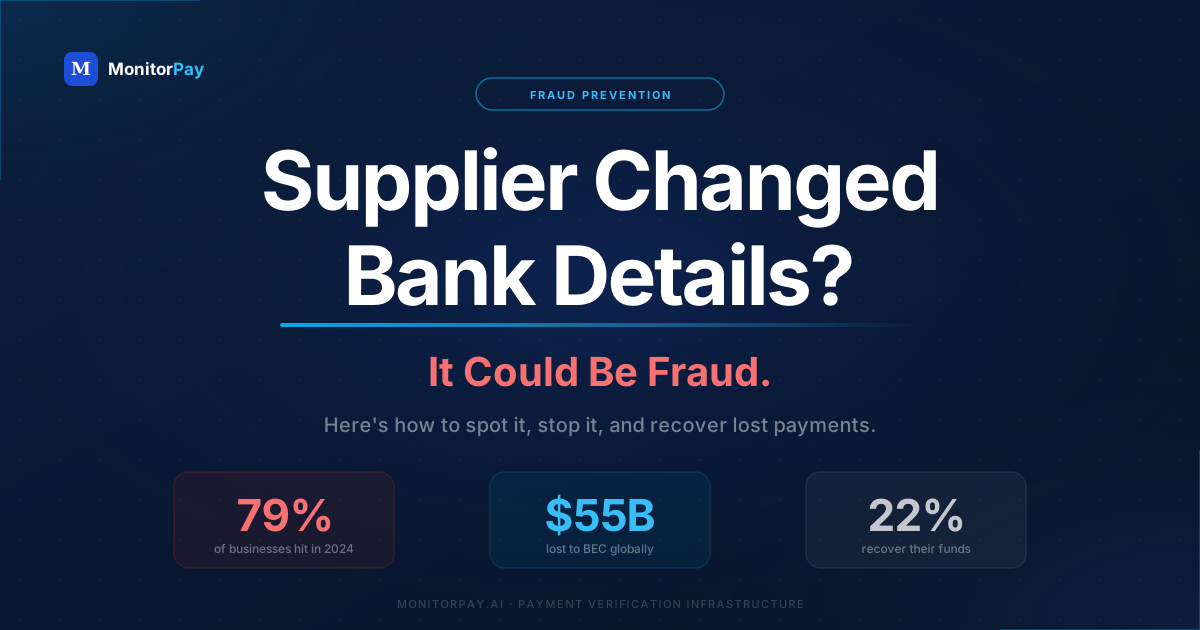
Wire transfers and SEPA credit transfers are not reversible. Once the money leaves your account, your bank cannot recall it unless the receiving bank cooperates — which rarely happens quickly enough to matter. Only 22% of organizations recovered most of their losses in 2024.
This is not a niche or emerging threat. According to the 2025 AFP Payments Fraud and Control Report, vendor impersonation was cited by 60% of organizations experiencing BEC fraud — up from 34% just two years prior. It is now the fastest-growing BEC variant.
How the Fraud Actually Unfolds
The attack works because it looks routine. It doesn't require hacking your systems. It exploits the one thing every AP team does without thinking: updating a supplier's bank details when asked. Here's the sequence.
How the Fraud Unfolds
The average vendor bank account changes once every four years. Any change request should be treated as unusual by default. In practice, most AP teams treat it as routine.
Four Ways It Happens — and Which Is Most Dangerous
Not every bank detail change request looks the same. The attack shifts depending on what access the fraudster has and how well they know your supplier relationship.
| Variant | How it works | Entry point | Risk level |
|---|---|---|---|
| Supplier impersonation | Fraudster sends email from a spoofed or look-alike domain impersonating an existing supplier | External email, no system access needed | High |
| Compromised supplier inbox | Fraudster actually hacks your supplier's email, sends the change request from their real address | Supplier's email account | High |
| Internal employee fraud | A rogue employee updates vendor bank details in the master file to redirect payments to their own account | ERP / vendor master file access | Medium |
| New vendor onboarding | Fraudster poses as a new supplier during onboarding and submits fraudulent bank details from day one | Procurement / onboarding process | Medium |
The first two variants — external impersonation and compromised inbox — are the most common and the hardest to catch manually. A call to the "supplier" from the contact number in the email can reach the fraudster directly. Always call a number from your own records, not from the email requesting the change.
Why This Fraud Is Exploding in 2025
Three forces are making this attack cheaper, faster, and harder to detect than ever before.
1. Generative AI has removed the skill barrier
Poorly written phishing emails used to be a detection signal. AI-generated emails are grammatically perfect, contextually accurate, and often more professional than the real supplier's communications. According to Palo Alto Networks, BEC attacks now account for 73% of all reported cyber incidents globally — in part because AI has made them so scalable.
2. Business email compromise tactics are evolving
Fraudsters are moving away from impersonating internal executives (which declined to 49% in 2024) and increasingly targeting third-party vendor relationships (up to 60%). The reason: third-party relationships typically have fewer controls and less scrutiny than payments initiated by senior leadership.
3. AP teams are under-resourced and over-pressured
Manual bank detail verification is slow. A single validation can take 30 minutes on average. Under payment deadline pressure, teams cut corners. The average vendor bank account change request is approved within 24 hours — sometimes within the hour.
"Wire transfers reclaimed the top spot as the most vulnerable payment type targeted by BEC in 2024 — reported by 63% of organizations. That's a 24-percentage-point increase from 2023."
— 2025 AFP Payments Fraud and Control Survey ReportHow to Spot a Fraudulent Bank Detail Change Request
Most attacks succeed because no one stopped to ask the right questions. Train your AP team to treat these signals as immediate pause triggers.
In the email itself
- Sender domain is slightly different from usual (acme-corp.com vs acmecorp.com — inspect carefully)
- Request comes from a personal email address (gmail, hotmail) rather than corporate
- Language is more formal or urgent than normal supplier communications
- Request coincides with a large upcoming invoice or payment deadline
- No phone call follow-up from the supplier — they just sent an email
In the bank details themselves
- New IBAN is in a different country from where the supplier operates
- Account name doesn't match the registered company name
- BIC/SWIFT code points to a different bank than previously used
- New account is at a payment institution or neobank rather than a traditional bank
- Multiple suppliers "changing" accounts around the same time (a signal of a vendor master file breach)
If the fraudster's email includes a phone number, it rings them — not your supplier. Always use the phone number from your own internal vendor records or from the company's official website. Never from the email requesting the change.
How to Prevent Vendor Bank Account Change Fraud
Prevention requires three layers: process controls, verification technology, and continuous monitoring. Manual controls alone don't scale. Technology alone doesn't replace human judgment. You need both.
Layer 1 — Process controls
Mandatory dual approval for all bank detail changes
No single person should be able to update vendor banking details. Require sign-off from both an AP team member and a finance manager, with the approval logged and time-stamped.
Callback verification from your own records
Call the supplier at the number stored in your vendor master file — not any number in the change request email. Confirm the request verbally. Log the call and who you spoke to.
48-hour cooling-off period
Impose a mandatory delay between receiving a bank change request and activating it in your system. This window catches fraud before the next payment run and gives the real supplier time to flag an impersonation.
Vendor master file access controls
Restrict who can edit banking details in your ERP or AP system. Generate automated alerts whenever a bank account is modified. Review change logs monthly. Separate the team that can modify vendor records from the team that approves payments.
No bank changes accepted via email alone
Establish a written policy: bank detail changes require a formal request through a secure supplier portal or signed letter on company letterhead — not an email. Communicate this policy to all suppliers.
Layer 2 — Real-time bank account verification
Process controls reduce exposure but don't verify whether a bank account actually belongs to your supplier. That requires automated verification against authoritative sources.
Before activating any new or changed bank detail, your team should verify:
- Account ownership — does the account name match the registered company name?
- Account status — is the account active and able to receive payments?
- IBAN/sort code validity — is the format correct and the bank genuine?
- BIC/SWIFT match — does the bank identifier match the IBAN country and institution?
This is what account ownership verification and IBAN validation tools are designed to do — instantly, via API, before a single payment is authorised.
When a fraudster provides a new IBAN, the account name attached to that IBAN will not match your supplier's registered company name. An automated ownership check flags this in milliseconds — before the payment runs.
Layer 3 — Continuous monitoring
One-time verification at onboarding isn't enough. Fraud can be introduced at any point in a supplier relationship — through account takeovers, changes introduced months after onboarding, or compromised supplier credentials.
Continuous monitoring means your system automatically watches active vendor bank accounts and alerts you the moment anything changes — account status, ownership, or associated entity details — without your team needing to check manually.
- Set automated alerts for any change to a vendor's bank account in your ERP
- Re-verify top-100 vendors by payment volume quarterly
- Trigger automatic re-verification whenever a vendor record is edited
The AP Team's Pre-Payment Checklist
Before processing any payment to updated bank details, run through this checklist. Make it a formal step in your AP workflow — not optional guidance.
- Bank change request came through an approved channel (not email only)
- Dual approval obtained and logged with timestamp
- Callback made to supplier using number from our internal records — not from the email
- New IBAN validated for format and bank identity
- Account ownership verified — name matches supplier's registered company name
- Account status confirmed active
- New IBAN country matches supplier's operating country (or deviation explained and documented)
- Change logged in vendor master file with approver name and date
- 48-hour cooling-off period observed before activation
- First payment to new account flagged for post-payment review within 5 business days
You've Already Paid. Here's What to Do.
Speed is everything. The first few hours after discovering a fraudulent payment determine whether any recovery is possible.
- Contact your bank immediately. Request an urgent recall or payment stop. Provide the receiving bank's details. Banks can sometimes issue a recall through SWIFT gpi (for international wires) within hours — but only if you act fast.
- Call the receiving bank directly. Ask them to freeze the account. This is not standard procedure but some banks will cooperate, especially if you have a fraud case reference number.
- Report to law enforcement. In the UK, report to Action Fraud and your local police force. In the EU, file with your national financial intelligence unit. In the US, file with the FBI's IC3 at ic3.gov. Obtain a crime reference number — your bank will require it for the recall process.
- Preserve evidence. Don't delete the fraudulent email. Screenshot the full email headers. Extract your audit trail from the AP system showing when the change was made, by whom, and when the payment was authorised.
- Notify affected suppliers. Tell the real supplier their identity was used in a fraud. They may have other customers at risk. They may also hold evidence — a compromised email account — that law enforcement needs.
Many commercial cyber policies now include social engineering coverage. Review your policy before an incident — some require specific controls (like dual approval) to be in place at the time of loss for the claim to be valid.
Tools That Stop Bank Account Change Fraud
You can't verify 100 vendor payments manually. The only scalable solution is automation. Here's what each tool category addresses.
| Tool | What it verifies | When to use |
|---|---|---|
| IBAN Validation API | Format, country, check digits, BIC/bank match | Every new or changed bank detail, at point of entry |
| Account Ownership Verification | Does the account name match the registered company name? | Before activating any new or changed bank account |
| Account Status Check | Is the account active? Can it receive payments? | Before each payment run for high-value vendors |
| Payee Name Matching | Does the name on the invoice match the account holder name? | At invoice approval, particularly for new payees |
| Continuous Monitoring & Alerts | Detects changes to verified accounts over time | Ongoing — automated alerts sent when anything changes |
How MonitorPay Stops This Fraud
MonitorPay is a payment verification API built specifically for the problem this article describes. When a supplier submits new bank details — whether at onboarding or mid-relationship — MonitorPay checks three things in real time before your AP team touches anything:
Does the account actually belong to your supplier?
MonitorPay's Account Ownership Verification confirms the registered name on the account matches the supplier's legal company name — sourced directly from banking registries across 190+ countries. A fraudster's shell account will not match. The mismatch is flagged before your team updates a single record.
Is the IBAN valid and does the bank exist?
IBAN Validation checks format, check digits, country code, and BIC/SWIFT match in milliseconds. Fraudsters frequently provide IBANs at payment institutions in different countries from the supplier — this catches it immediately.
Is the account active — and does anything change after today?
Account Status Checks confirm the account can receive funds. And Continuous Monitoring watches every verified vendor account on an ongoing basis — alerting your team the moment ownership, status, or associated entity details change, before the next payment runs.
MonitorPay covers IBAN validation, account ownership verification, account status, payee name matching, and continuous monitoring through a single integration. It works for both new vendor onboarding and changes to existing supplier records — the two highest-risk moments in the payment cycle. Used by 289,000+ businesses worldwide.
Frequently Asked Questions
Everything your team needs to know about detecting, preventing, and recovering from vendor bank account change fraud.
Vendor bank account change fraud — also called payment diversion fraud or supplier impersonation fraud — is when a fraudster convinces an accounts payable team to update a supplier's banking details to a fraudulent account. The change is usually requested via email, using a spoofed or look-alike domain, or in some cases a compromised supplier inbox. The next payment to that supplier goes to the fraudster instead. Because wire and SEPA transfers are not easily reversible, recovery is extremely difficult. The 2025 AFP Payments Fraud and Control Survey found that only 22% of organisations recovered most of their losses — down from 41% in 2023.
Extremely common and growing fast. According to the 2025 AFP Payments Fraud and Control Survey, 79% of businesses reported attempted or actual payments fraud in 2024. Vendor impersonation — the category that includes bank detail change requests — was cited by 60% of organisations experiencing BEC fraud, up sharply from 34% in a prior survey. The FBI's IC3 attributes 73% of all reported cyber incidents to BEC, with cumulative losses exceeding $55 billion over the past decade. Vendor bank account fraud is now the dominant attack vector in B2B payment fraud.
Fraudsters use several methods. The easiest is open-source research: LinkedIn reveals who companies buy from, company websites list partners, and invoice PDFs sometimes leak supplier names and payment terms via email chain compromises. More sophisticated attacks involve actually compromising a supplier's email inbox — meaning the change request appears to come from the supplier's real address, making it almost impossible to detect without verifying the bank account itself. Some fraudsters also purchase leaked vendor lists or target companies that have publicly announced new supplier relationships.
Validation checks the format: is the IBAN the right length, does the check digit pass, is the BIC code real? It catches typos and formatting errors but does not confirm who owns the account or whether it is active. Verification goes further: it confirms that the account actually exists at the stated bank, that it is currently active and can receive funds, and — critically — that the account holder name matches the supplier's registered company name. Validation alone does not stop fraud. Verification does. For payment fraud prevention, you need full verification, not just format validation.
A callback can help but only if you call a number from your own internal records — never from the email requesting the change. If you use the phone number in the fraudulent email, you reach the fraudster, not the supplier. For high-volume AP operations, manual callbacks are not scalable and are inconsistently applied. The strongest protection is automated bank account verification at the point of change — confirming that the new account is actually registered to your supplier's company — combined with a callback for high-value changes as a secondary check.
The most effective controls are: mandatory dual approval for any change to vendor banking details; a prohibition on accepting bank changes via email alone (requiring a secure portal or signed documentation); a 48-hour cooling-off period before new details are activated; separation of duties so the person who can edit the vendor master file cannot also approve payments; automated vendor master file change alerts; and automated real-time verification of any new or changed bank account before the first payment is made. Each layer addresses a different failure point. The strongest protection combines all of them.
Act immediately. Contact your bank the same day and request an urgent payment recall — speed is the single biggest factor in whether recovery is possible. Report to law enforcement (Action Fraud in the UK, FBI IC3 in the US, your national FIU in the EU) and obtain a crime reference number. Preserve all evidence: the fraudulent email with full headers, your AP audit trail, and the timeline of the change approval. Contact the receiving bank directly and ask them to freeze the account. Notify your real supplier — their identity was compromised, and they may have other customers at risk. Only 22% of organisations recovered most of their losses in 2024, which is why prevention, not recovery, must be the focus.
Many commercial cyber insurance policies now include social engineering or payment diversion coverage. However, coverage is often conditional on specific controls being in place at the time of the loss — such as dual approval requirements or mandatory verification procedures. Review your policy carefully before an incident occurs. Some insurers have denied claims where the organisation's controls were inadequate. Check whether your policy covers funds transferred based on fraudulent payment instructions, and confirm the coverage limit — social engineering sub-limits are often lower than the overall policy limit.
The EU's Verification of Payee (VoP) regulation — effective October 2025 — requires banks and payment service providers to check that the account name provided by the payer matches the name registered to the account before processing a credit transfer. This means that if a fraudster provides a new IBAN registered to a shell company rather than your real supplier, the bank's VoP check will return a mismatch warning before the payment is sent. VoP adds an important bank-level safety net but it is not a complete solution: it only applies to SEPA credit transfers, and the match logic varies by institution. Real-time verification at the AP workflow level — before the payment is even submitted to the bank — provides an earlier, more comprehensive check.
Continuous monitoring means your system automatically watches verified vendor bank accounts over time and alerts you when anything changes — account ownership, account status, or the entity details associated with the account. One-time verification at onboarding is not sufficient because fraud can be introduced months later, either through a compromised supplier email account or through internal tampering with the vendor master file. Continuous monitoring catches these changes before the next payment runs, giving your team the chance to investigate before money moves. It is particularly important for high-value, recurring supplier relationships where a single diverted payment can represent a significant financial loss.
Stop payment diversion before it starts
One API to validate IBANs, verify account ownership, confirm payee identity, and monitor for changes. Used by 289,000+ businesses across 190+ countries.